
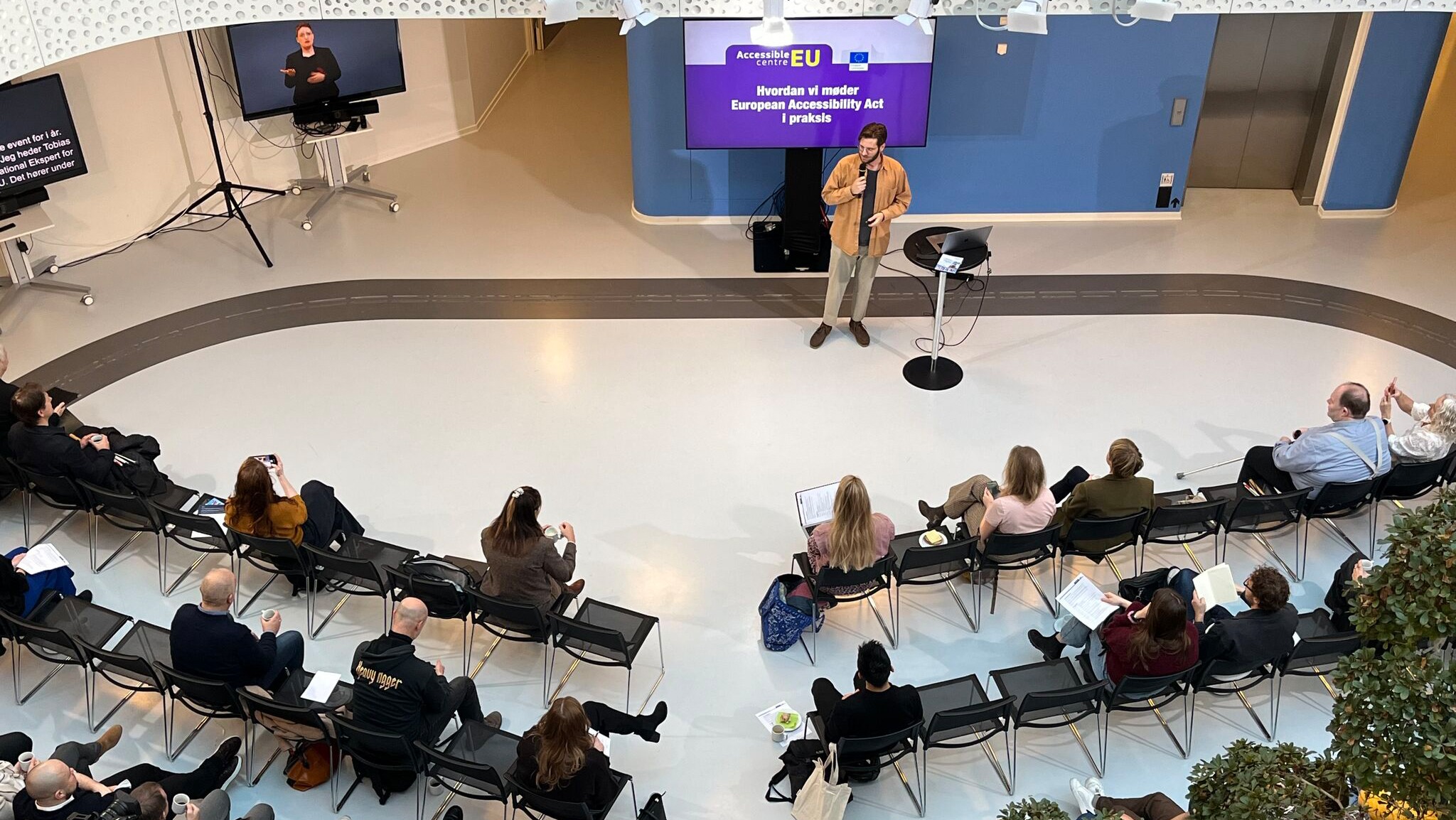
The other day, accessibility consultant Cathrine Mejdal shared a lovely post about our event on 1 December. It touched on something important: Accessibility is felt – and makes a huge difference – when it works in practice.
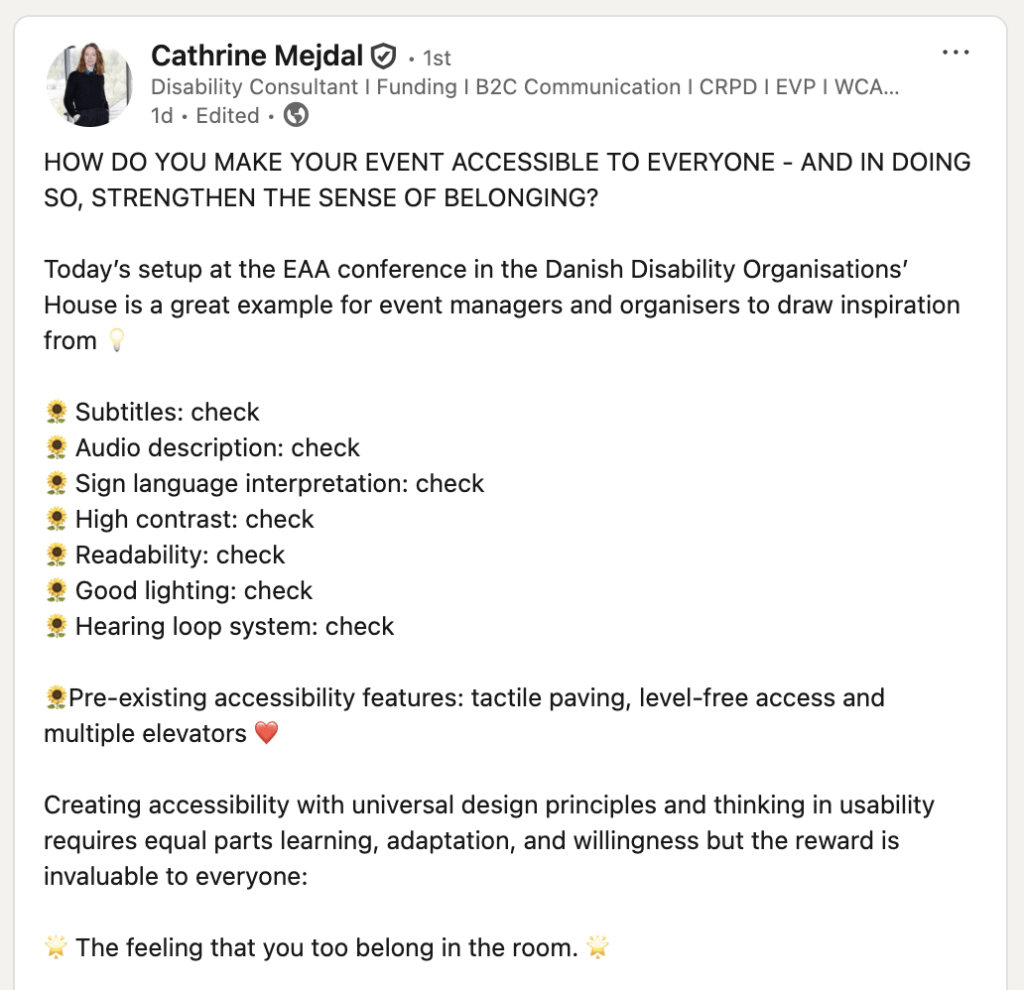
I’ve now organised three AccessibleEU events in 31 days.*
It has – unsurprisingly – been very intense, but I’ve also learned a lot about what it actually takes to create an accessible event, and I’ve tried to improve things every time.
Here are the most important lessons I’m taking with me. I hope they can help others who also need to organise events.
Build accessibility in from the start
A lot of accessibility is decided already in the earliest phase. The choice of venue, format, and target group sets the framework – and makes it much easier to avoid problems later on.
Accessibility works worst as something you “just add at the end”. (Watch Anne Thyme Nørregaard’s brilliant blueberry muffin analogy on YouTube – it explains well why you shouldn’t wait until the end of the process.)
When it’s included from the concept phase, the solutions become better, cheaper, and more natural for participants.
And that brings me to the next point …
Start with needs – and ask participants early
Accessibility starts already at registration.
I recommend asking in advance:
“Do you have any needs or preferences we should know about to make the day a good one for you?”
Most needs are simple. Some are unexpected. And sometimes it turns out that something I thought was necessary simply isn’t on that particular day.
When you ask early, you can plan better. You avoid booking unnecessary resources. And you signal that people are welcome.
Pre-communication makes a difference
Before the event, I send out clear, practical information:
- How to get there.
- Where to park.
- Where the toilets are.
- How sign language interpreting and live captioning work.
- Who to contact if you have questions or concerns.
I do it to remove any uncertainty and worries. For some people, it’s crucial for being able to take part comfortably.
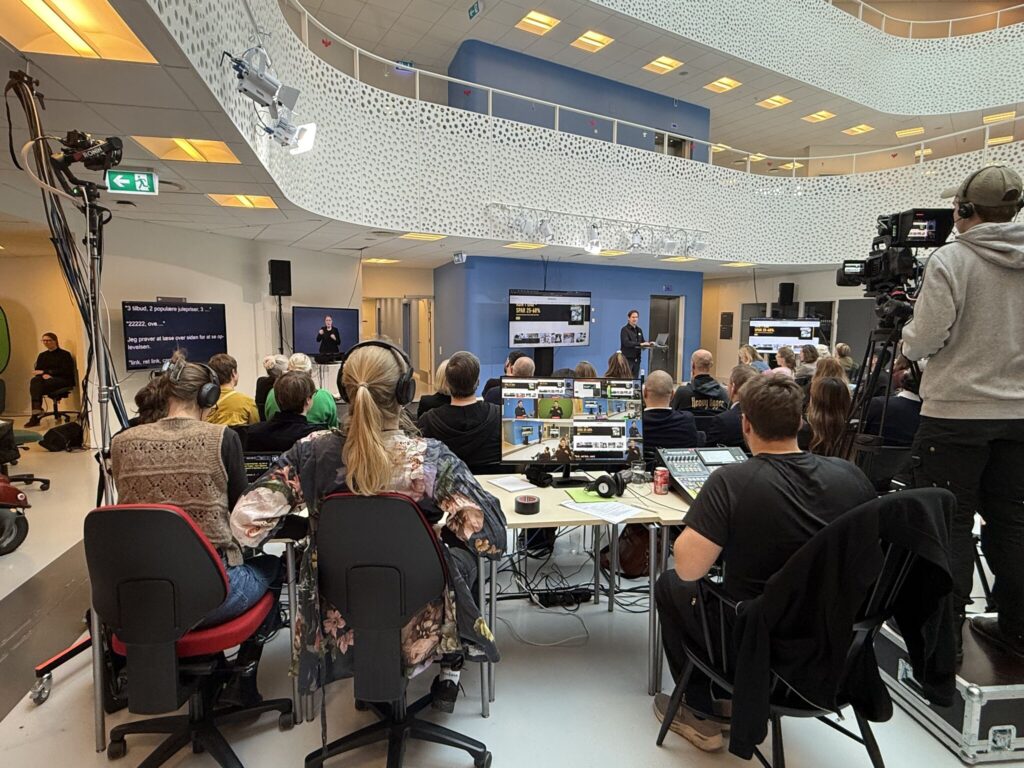
Sign language interpreting: How it works
Sign language is a language in its own right, with its own grammar and syntax, and it isn’t translated one-to-one from Danish. There are also different sign languages from country to country, so you’ll need to consider whether your event should be interpreted into Danish Sign Language or, for instance, British Sign Language, depending on your audience.
So far, I’ve used interpreters from tegnsprogstolken.dk, and I’ve had good experiences with them.
See more options for sign language interpreters across the country
They often recommend using Deaf sign language interpreters, each paired with a hearing interpreter. The hearing interpreter receives the spoken language and relays it. The Deaf interpreter translates it into sign language with nuances that hearing interpreters often can’t provide. You only pay for the Deaf interpreters.
There should be two Deaf sign language interpreters. They take turns, so the quality stays high and no one gets overloaded.
Make sure the interpreting is shown close to the speaker and the presentation, so you don’t have to keep turning back and forth between them.
Speech-to-text interpreting: What it is, and how it works
Speech-to-text interpreting is something completely different from sign language interpreting.
A speech-to-text interpreter writes down the spoken content in near real time. It’s interpreting, not word-for-word transcription. That means:
- The text is often slightly simplified
- There will typically be a slight delay
- The focus is on understanding, not on capturing every single word
Here, too, there should be two speech-to-text interpreters who take turns. It gives more stable captioning and fewer errors.
Speech-to-text interpreting doesn’t only help Deaf and hard-of-hearing people. It also helps participants who aren’t as strong in the language, or who simply find it easier to follow along when they can both hear and read.
Make sure the interpreting is shown close to the speaker, the presentation, and the sign language interpreting, so you don’t have to keep turning back and forth between them.
Preparation: Material for the sign language interpreters
Sign language interpreting requires preparation. That’s why material needs to be sent well in advance. My interpreters prefer to receive it about a week before the event.
Important things:
- A presentation with images only doesn’t help much with their preparation.
- An outline can be better than an almost empty presentation.
- A draft of a presentation can be shared with the interpreters even if it isn’t fully polished. It’s okay to make some changes afterwards.
If the sign language interpreters don’t get time to prepare, they may have to book extra preparation time, and that costs the organiser extra. That’s why the speakers need to know deadlines from the start.
Working environment: Physical conditions for sign language interpreting
Sign language interpreting is physically demanding. Interpreters need to be able to sit comfortably and move their arms freely.
I’ve therefore started making sure to provide:
- Office chairs without armrests
- Plenty of space around them, if possible
- An even, calm background with good contrast to the interpreters themselves, so they stand out clearly
- Good lighting, so the interpreting is clear on video and in the room
Speech-to-text interpreters have different needs and typically sit at the back of the room or somewhere else entirely, but comfortable office chairs without armrests are also an advantage for them.
Placement: Where the sign language interpreters should sit
At first, I placed the sign language interpreters in the room itself. That didn’t work so well, as it’s hard to have to relate to both the audience and the camera at the same time.
Now the sign language interpreters sit in a separate room:
- They have a camera on them
- They can hear the talk
- They can see the presentation
- The audience in the room sees them on a screen
The speech-to-text interpreting is also shown on a screen, but speech-to-text interpreters don’t necessarily need a separate room.
This solution provides peace of mind and better quality.
Use interpreter resources thoughtfully
There’s a shortage of sign language interpreters in Denmark. Deaf people should be able to get interpreters for everyday needs. So:
- Only book sign language interpreting when it’s needed.
- I still choose to have it for my events, because the recordings are uploaded to YouTube.
- Note that I don’t book sign language interpreting during breaks. Deaf participants can book interpreters themselves, who will be made available to them when, for example, they’re attending an event.
With live captioning you can be more flexible, but it makes good sense to follow the same principle: don’t book more than is actually needed.
Braille: Programme in braille
If blind participants are attending, the Danish Association of the Blind can often help print the programme in braille. Write to bestilling@blind.dk at least 14 days in advance.
Send plain text only. No formatting. No unnecessary pages. Keep it light and simple.
For speakers
I now send a short list to the speakers before each event.
- Consider briefly describing yourself at the start, if you feel like it. It especially helps blind participants form a mental picture of who’s speaking. It can be very simple, e.g.: “I’m a man in my 30s with brown hair, a full beard, round glasses, and a white shirt on today.”
- Describe images and graphics that contain important information.
- Use an audio-described version of the video if one exists. Otherwise, briefly say what’s happening.
- Speak at a normal pace. You don’t need to speak slowly for the interpreters’ sake.
- Keep good contrast in the presentation. Projectors eat weak contrast, and they can be hard for many people to see in general.
- Use large type on PowerPoint slides. Ideally 28 or more.
- Give yourself permission to cut text. The audience will be happier for it – and the point above about large font sizes only works if you avoid long chunks of text on your slides.
- Run an accessibility check in PowerPoint before you send the file out. (“Check Accessibility”)
- If you share PDFs, consider having professionals make them accessible. It’s really hard to do yourself, even if you use Adobe’s own tools for it.
- I also make a version of the materials in plain language and large print. Many people actually prefer it – including me.
Microphones
Everyone needs to use a microphone. Period.
Even if it’s “just a quick question”. Even if someone says they can shout.
The moderator should always repeat questions from the audience into the microphone. It helps both the interpreters and everyone else.
Venue: Make it easy to find your way around
Signage should be clear and simple. Big letters. High contrast. Pictograms.
I now also always check:
- Can wheelchair users get around?
- Is there room for mobility aids?
- Overall, make sure there’s plenty of space between rows of chairs – also so blind people can easily get in and out.
- Can people reach the restroom without taking a winding detour?
- Can blind people navigate safely?
- Are the screens mounted high enough that they’re visible from the back row?
- Are there seats that should be reserved for wheelchair users or for those who need a clear view of sign-language interpreting or live captioning?
- Is there a place where you can step away if you need quiet?
Small things that can make a big difference.
Two places I can recommend
I can definitely recommend Handicaporganisationernes Hus in Taastrup – considered by many to be the most accessible office building in the world(!). It’s built for accessibility in practice, and you can feel it. There’s good access, clear routes with tactile guiding lines in the floor, good acoustics, and room for mobility aids. It’s also easy to get to – both by car and by public transport.
Another strong option is Musholm near Korsør, built by the Muscular Dystrophy Foundation. It’s one of the most accessible places in Denmark and is especially great if you need somewhere where the setting, rooms, and activities have all been designed with accessibility in mind from the start.
Food and breaks
Lunch should be easy to eat. Sandwiches are far better than finger food.
And keep to the schedule. Many people plan their day around the breaks.
Helpers on the day
One or two helpers can work wonders. They can:
- escort people to their seats
- show the way to the restrooms
- help find a good place to sit
- help if something technical is acting up
- take some of the load off the interpreters when there are questions
Be open to feedback
After each event, participants receive a short, simple evaluation so I can learn and do better next time. Here, I ask specifically whether there were any issues with a lack of accessibility.
Accessible events aren’t about doing a little extra – they’re about removing barriers so people can take part without having to fight for it.
I’m not done learning. But I can see that the work is paying off. And I hope my experiences can help others who want to create more open and inclusive events.
If you have questions – or good advice – please do write. I’m always happy to learn more.
* Footnote – the three events mentioned are:
- Event 29 October 2025: “When accessibility meets AI” (Allerhuset, Copenhagen)
- Event 24 November 2025: “Accessible Crisis Management” (Christiansborg)
- Event 1 December 2025: “European Accessibility Act in practice” (The Danish Disability Organisations’ House, Taastrup)